GitHub
Smart
Downloader

Download repositories, folders, single files, or selected paths as ZIP archives directly from GitHub.

No clone. No backend. No telemetry. Just the part of the repo you need.

No telemetry Local packaging MIT licensed

Sometimes GitHub's
download button
is too blunt.

You need one folder from a repository that is hundreds of megabytes.

You want a few selected files without cloning the whole project first.

You need the ZIP now, from the page you are already reading.

Four steps.
No detours.

  1. Open GitHub

    Visit any repository, folder, or file page after installing the extension. No separate dashboard to log in to.

  2. Choose Scope

    Pick the whole repo, the current folder, selected paths, or a single file using GSD's injected controls.

  3. Prepare ZIP

    GSD fetches from official GitHub endpoints and packages the archive locally in your browser with JSZip.

  4. Download

    The browser download manager saves the archive. No redirect, no waiting on a third-party server.

A small utility,
visible at the right moment.

Three surfaces carry the product: GitHub page controls, a compact download popup, and settings for token-backed access.

01 / GitHub surface

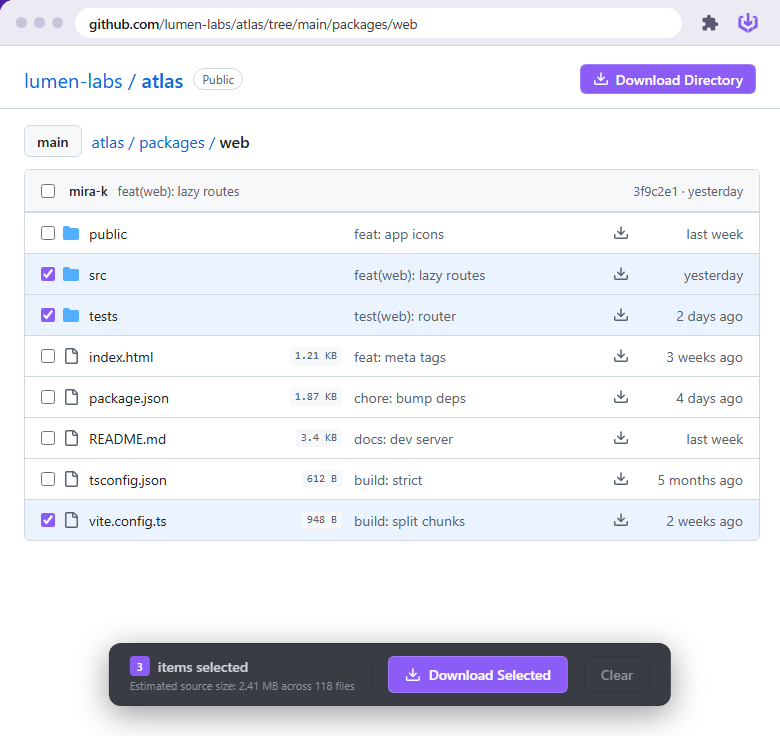
Download controls live where the repository lives.

GSD adds direct actions to GitHub so you can package a repository, folder, or selected paths without switching tools.

  • Inline selection
  • Folder and file scope
  • No terminal detour
Controls injected directly into GitHub.
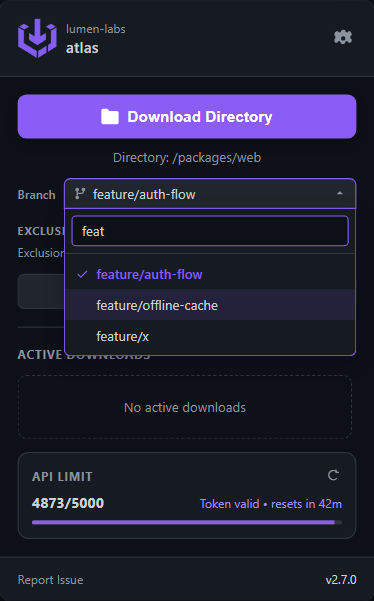
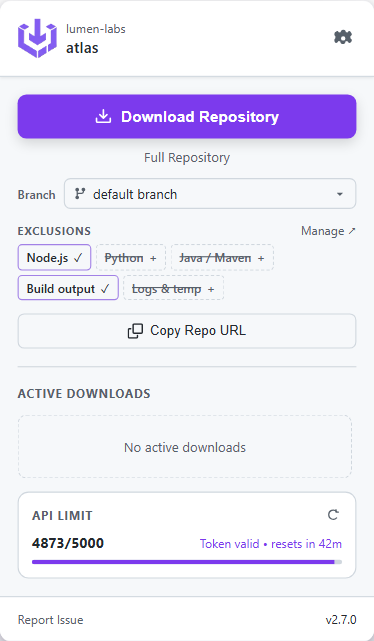
A compact controller for jobs and API state.

02 / Download popup

The queue stays compact, readable, and nearby.

The popup keeps progress, recent jobs, and repository context close without turning a simple extension into a dashboard.

  • Progress at a glance
  • Recent downloads
  • API status visible

03 / Settings

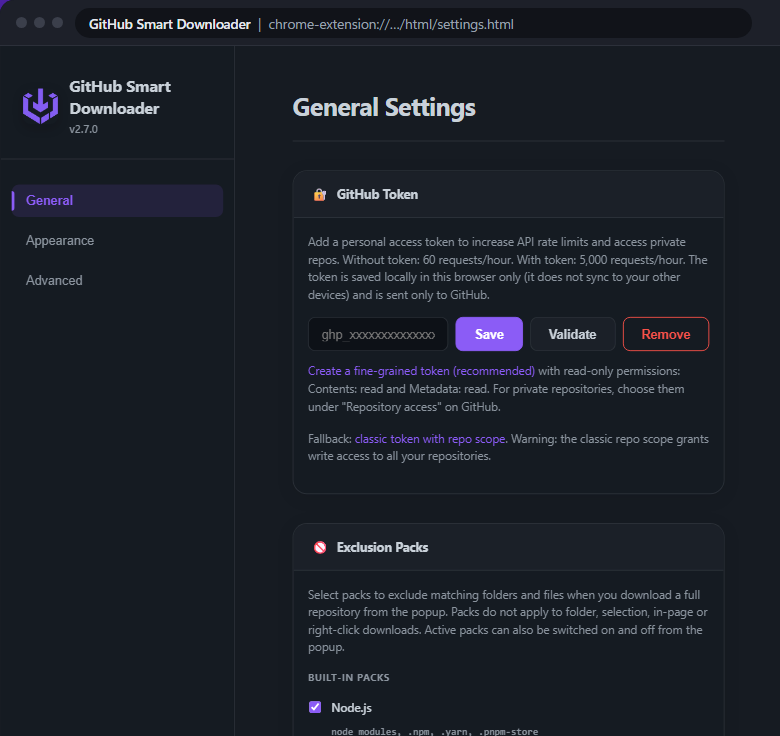
Power controls stay out of the way until needed.

Add a GitHub token for higher limits, skip noisy folders, and tune the extension without sending repository contents anywhere else.

  • Local token storage
  • Exclusion packs
  • Theme controls
Token, exclusion, theme, and limit controls.
Open GitHub Choose scope Package locally Save ZIP

Lives inside GitHub.
Runs inside your browser.

  1. Scope you choose

    Pick a repo, a folder, a single file, or any combination. The download starts after you decide the shape.

  2. In-page controls

    Download buttons appear inside GitHub's repository UI, not in a separate extension popup.

  3. Packaged locally

    Files travel from GitHub to your browser, never through a backend. The archive is built where you opened it.

  4. Token-aware

    Add a personal access token to reach private repos and lift the rate limit from 60 to 5,000 per hour.

  5. Live job feedback

    Active downloads, queue state, and recent jobs in one popup. Cancel mid-flight and see the job state clearly.

  6. Themed to GitHub

    Light, dark, or system. The accent color and button shape pick up the theme you already use.

Your repository
data stays between
GitHub and your browser.

GSD does not run a server for your repository contents. Downloads are fetched from official GitHub endpoints and packaged in your browser. If you add a token, it is encrypted before storage and sent only to GitHub over HTTPS.

No telemetry
No third-party backend
No uploaded repository contents
Encrypted token storage
Official GitHub endpoints only

Official endpoints

  • github.com
  • api.github.com
  • raw.githubusercontent.com
  • codeload.github.com

Four actors.
One trust boundary.

Full architecture details on GitHub